MCP Security Series: Lack of Logging and Auditing
MCP Security Series: Lack of Logging and Auditing
Section titled “MCP Security Series: Lack of Logging and Auditing”Introduction
Section titled “Introduction”This entry covers the lack of auditing — when an MCP runs with no logging or audit trail, there’s no way to investigate or trace back what happened after the fact. So in this article we’ll demonstrate how to add logging to an MCP.
Logging for MCP
Section titled “Logging for MCP”The most basic approach is to add logging code directly into the MCP server’s source — using a logger, for example. But this has a couple of drawbacks. First, it bloats the code during development: the more detail you want to capture, the more logger calls you have to sprinkle in. Second, even once those logs are persisted, they can still be hard to actually read or search.
Here we’ll demonstrate with the Langfuse platform. Langfuse is an open-source LLMOps platform — an observability platform for LLM applications — that can record every step of a complete agent session: model calls, tool calls, inputs and outputs, and so on.
First, install Langfuse. We’ll do it with Docker — download the source from GitHub and run:
docker compose up -dIt will pull the relevant images and start up automatically. Once it’s running, open port 3000 in your browser to reach Langfuse.
With Langfuse ready, we’ll again use CherryStudio to test an MCP. Here’s the MCP server code — this version has no logging:
from mcp.server.fastmcp import FastMCP
mcp = FastMCP("Test")
@mcp.tool()def helloworld(username: str) -> str:    """Print a friendly greeting for the provided username"""    return f"Hello, {username}"
if __name__ == "__main__":    mcp.run()
To wire the MCP up to Langfuse, we need to add Langfuse into the MCP code. Here’s the modified version — see the comments for what each part does:
import osfrom pathlib import Path
from dotenv import load_dotenvfrom langfuse import get_client, observefrom mcp.server.fastmcp import FastMCP

# Load the .env file, which holds the Langfuse keys — the keys are required to talk to Langfuseload_dotenv(Path(__file__).with_name(".env"))
mcp = FastMCP("Test")
@mcp.tool()# This decorator is the main addition, applied to the function. `name` is the name# the log entry will show in Langfuse. `as_type` declares that this function is an# agent tool call, so Langfuse renders it with a tool icon — the observation panel# supports several observation types, such as reasoning and code execution, and# tool call is one of them.@observe(    name="helloworld",    as_type="tool")def helloworld(username: str) -> str:    """Print a friendly greeting for the provided username"""    return f"Hello, {username}"

if __name__ == "__main__":    mcp.run()
One last piece is the .env file, with the following contents:
LANGFUSE_PUBLIC_KEY=pk-lf-xxxxxxxxxxxxxLANGFUSE_SECRET_KEY=sk-lf-xxxxxxxxxxxxxLANGFUSE_BASE_URL=http://localhost:3000The keys come from the Langfuse platform. Back in Langfuse, create a project, then go to that project’s Settings → API Keys and click to create a key.
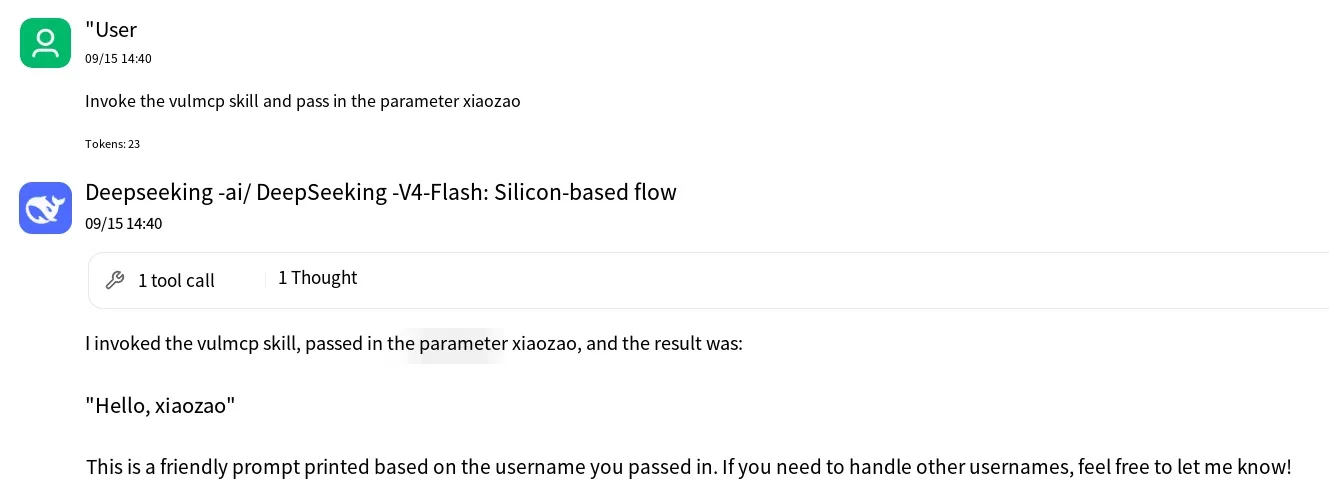
Once everything is set up, return to CherryStudio and invoke the tool to test:
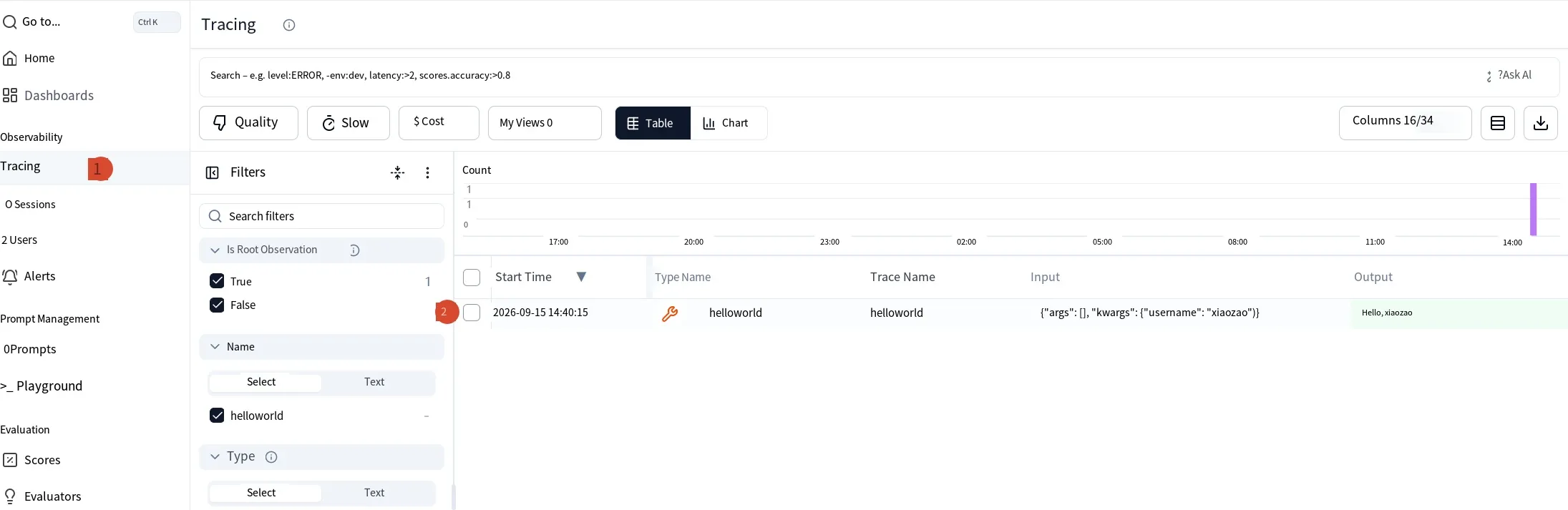
Now, under Tracing in Langfuse, you can see the logged record:
Summary
Section titled “Summary”There are many other ways and many other platforms for MCP logging — Langfuse is far from the only option. Pick whichever suits your situation.
Xiaozao InfoSec: focused on AI security, including but not limited to LLM security, agent security, robotics security, and AI for cybersecurity. Welcome to learn together.