MCP Security Series: Excessive Permissions
MCP Security Series: Excessive Permissions
Section titled “MCP Security Series: Excessive Permissions”Introduction
Section titled “Introduction”This category of issue refers primarily to MCP tools having overly broad permissions and failing to follow the principle of least privilege. It shares the same underlying principle as excessive permissions in Skills and excessive agency in large models. For reference, see the earlier articles:
《Skill Security Series: Excessive Permissions》
《LLM Security TOP 10: Excessive Agency》
Examples
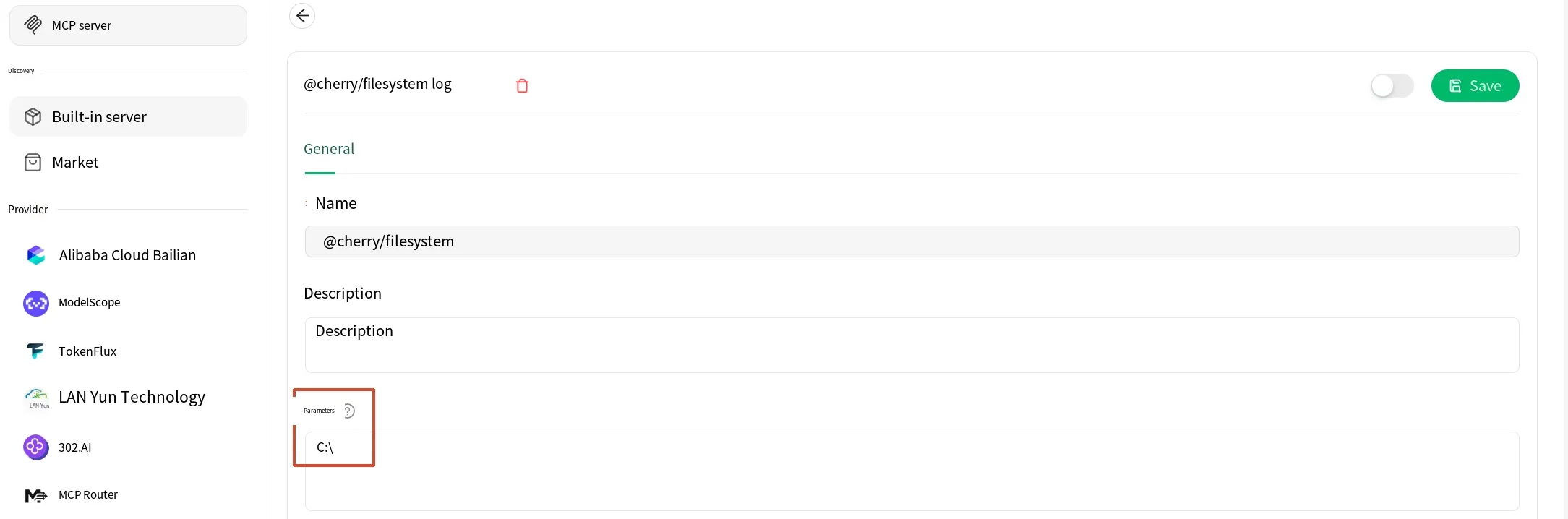
Section titled “Examples”Take the filesystem MCP that ships with Cherry, for example. It lets you specify a working directory. If, for the sake of convenience or work requirements, you grant it a high level of permission — such as the entire C drive — then the Agent can read from and write to the whole C drive, thereby increasing the risk.
Some MCP tools may have permission controls in place, but vulnerabilities at the code level can still lead to bypasses. For instance, if we use FastMCP to build a file read/write MCP tool, we can configure the directory it operates on, but if the directory is not strictly constrained, it can be escaped via ../ (directory traversal).
Example code:
from fastmcp import FastMCPimport os
# The directory the tool is allowed to operate onBASE_DIR = "C:\\test"
mcp = FastMCP("Vuln_Agent")
@mcp.tool()def read_file(filename: str) -> str:    """Read file contents"""    # Directly concatenates the path without any ../ filtering    target_path = os.path.join(BASE_DIR, filename)
    try:        with open(target_path, "r", encoding="utf-8") as f:            return f.read()    except Exception as e:        return f"Read error: {e}"
@mcp.tool()def write_file(filename: str, content: str) -> str:    """Write file contents"""    # Directly concatenates the path without any ../ filtering    target_path = os.path.join(BASE_DIR, filename)
    try:        with open(target_path, "w", encoding="utf-8") as f:            f.write(content)        return f"Write succeeded: {target_path}"    except Exception as e:        return f"Write error: {e}"
if __name__ == "__main__":    mcp.run()
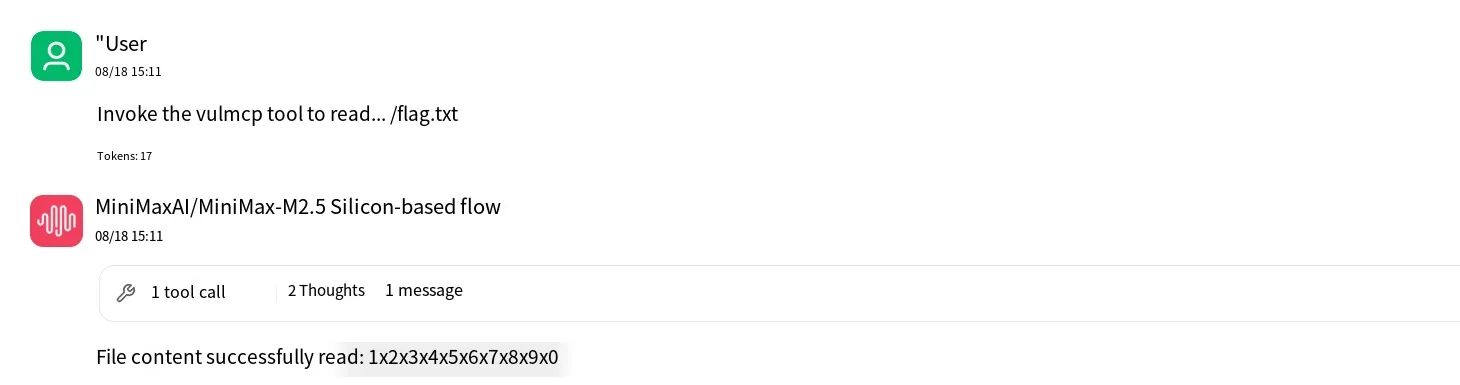
Because the code directly concatenates the requested filename with the path, we can pass ../ in the filename to traverse directories. Test result:
The example above involves file read/write tools, but there are many other types of tools as well. Any tool that involves permissions will have a permission-scope problem — for example, database operations, API calls, identity authentication, and so on.
Mitigations
Section titled “Mitigations”OWASP provides many mitigation measures for permission issues, and you can choose based on your own situation. For example: apply the principle of least privilege, set expiration times for tokens, perform periodic permission reviews, record detailed execution logs, and assign each Agent a unique identity rather than having multiple Agents share a single identity or a single token.
Summary
Section titled “Summary”That concludes this article on excessive permissions in the MCP security series. Thanks for reading.